
R21xx-HP FlexFabric 11900 Network Management and Monitoring Command Reference



57
Predefined user roles
network-admin
Examples
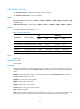
# Enable the output of logs to the log file.
<Sysname> system-view
[Sysname] info-center logfile enable
info-center logfile frequency
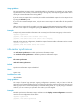
Use info-center logfile frequency to configure the interval for saving logs to the log file.
Use undo info-center logfile frequency to restore the default saving interval.
Syntax
info-center logfile frequency freq-sec
undo info-center logfile frequency
Default
The saving interval is 86400 seconds.
Views
System view
Predefined user roles
network-admin
Parameters
freq-sec: Specifies the interval at which the system saves logs to the log file, in the range 1 to 86400
seconds. The default is 86400 seconds.
Usage guidelines
With this command executed, the system saves logs in the log file buffer to the log file at the specified
interval.
Examples
# Configure the interval for saving logs to the log file as 60000 seconds.
<Sysname> system-view
[Sysname] info-center logfile frequency 60000
Related commands
info-center logfile enable
info-center logfile overwrite-protection
Use info-center logfile overwrite-protection to enable overwrite-protection for the log file. When the
capacity of the log file reaches the upper limit or the storage device runs out of space, new logs cannot
be written into the log file.
Use undo info-center logfile overwrite-protection to disable overwrite-protection for the log file. When
the capacity of the log file reaches the upper limit or the storage device runs out of space, the device
deletes the earliest logs to write new logs into the log file.