
R21xx-HP FlexFabric 11900 Network Management and Monitoring Command Reference



58
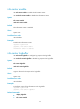
Syntax
info-center logfile overwrite-protection [ all-port-powerdown ]
undo info-center logfile overwrite-protection
Default
Log file overwrite-protection is disabled.
Views
System view
Predefined user roles
network-admin
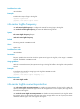
Parameters
all-port-powerdown: Shuts down all the physical Ethernet ports except for the console port, the
management Ethernet port, and ports that have been bound to an IRF port when the capacity of the log
file reaches the upper limit or the storage device runs out of space.
Usage guidelines
This command is supported only in FIPS mode. For more information about FIPS mode, see Security
Configuration Guide.
If you execute this command with the all-port-powerdown keyword, the device shuts down all its physical
Ethernet ports except for the console port, the management Ethernet port, and ports that have been
bound to an IRF port when the capacity of the log file reaches the upper limit or the storage device runs
out of space. To restore the device to the normal state, back up the log file, delete the original file to
release the space on the flash, and then bring up the interfaces.
Examples
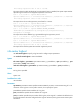
# Enable log file overwrite-protection.
<Sysname> system-view
[Sysname] info-center logfile overwrite-protection
info-center logfile size-quota
Use info-center logfile size-quota to set the maximum storage space reserved for the log file.
Use undo info-center logfile size-quota to restore the default maximum storage space reserved for the log
file.
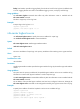
Syntax
info-center logfile size-quota size
undo info-center logfile size-quota
Default
The storage space reserved for the log file is 10 MB.
Views
System view
Predefined user roles
network-admin