
R21xx-HP FlexFabric 11900 Network Management and Monitoring Command Reference



59
Parameters
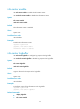
size: Specifies the maximum size of the log file, in the range of 1 to 10 MB.
Usage guidelines
The log file has a specific capacity. When the capacity is reached, the system deletes the earliest
messages and writes new messages into the log file.
Examples
# Set the maximum size of the log file as 6 MB.
<Sysname> system-view
[Sysname] info-center logfile size-quota 6
Related commands
info-center logfile enable
info-center logfile switch-directory
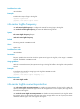
Use info-center logfile switch-directory to configure the directory where the log file is saved.
Syntax
info-center logfile switch-directory dir-name
Default
The log file is saved in the directory flash:/logfile.
Views
System view
Predefined user roles
network-admin
Parameters
dir-name: Specifies a directory by its name, a string of 1 to 64 characters.
Usage guidelines
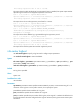
The specified directory must have been created.
The suffix of the log file is .log. When the default directory has no enough space for storing the file, you
can specify a new directory for the log file.
The configuration made by this command cannot survive a reboot or an active/standby switchover. (In
standalone mode.)
The configuration made by this command cannot survive an IRF reboot or a global active/standby
switchover in an IRF fabric. (In IRF mode.)
Examples
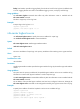
# Create a directory named test under the root directory of the flash.
<Sysname> mkdir test
Directory flash:/test created.
# Set the directory to save the log file to flash:/test.
<Sysname> system-view
[Sysname] info-center logfile switch-directory flash:/test