
R21xx-HP FlexFabric 11900 Network Management and Monitoring Command Reference



62
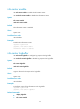
facility local-number: Specifies a logging facility from local0 to local7 for the log host. The default value
is local7. Logging facilities are used to mark different logging sources, and query and filer logs.
Usage guidelines
The info-center loghost command takes effect only after information center is enabled with the
info-center enable command.
The device supports up to four log hosts.
Examples
# O u t p u t l o g s t o t h e l o g h o s t 1.1.1.1.
<Sysname> system-view
[Sysname] info-center loghost 1.1.1.1
info-center loghost source
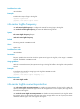
Use info-center loghost source to specify the source IP address for output logs.
Use undo info-center loghost source to restore the default.
Syntax
info-center loghost source interface-type interface-number
undo info-center loghost source
Default
The source IP address of output logs is the primary IP address of the matching route's egress interface.
Views
System view
Predefined user roles
network-admin
Parameters
interface-type interface-number: Specifies the egress interface for logs by the interface type and interface
number.
Usage guidelines
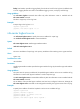
The system uses the primary IP address of the specified egress interface as the source IP address of log
information no matter which physical interface is used to output the logs.
The info-center loghost source command takes effect only after the information center is enabled with the
info-center enable command.
The IP address of the specified egress interface must have been configured. Otherwise, although the
info-center loghost source command can be configured successfully, the log host cannot receive any log.
Examples
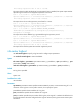
# Specify the IP address of interface loopback 0 as the source IP address of logs.
<Sysname> system-view
[Sysname] interface loopback 0
[Sysname-LoopBack0] ip address 2.2.2.2 32
[Sysname-LoopBack0] quit
[Sysname] info-center loghost source loopback 0