
R21xx-HP FlexFabric 11900 Network Management and Monitoring Configuration Guide



83
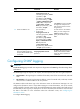
1.
NQA monitors the reachability to 192.168.0.88.
2. When 192.168.0.88 becomes unreachable, NQA notifies the track module of the change.
3. The track module notifies the static routing module of the state change.
4. The static routing module sets the static route as invalid according to a predefined action.
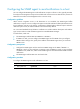
For more information about collaboration, see High Availability Configuration Guide.
Threshold monitoring
Threshold monitoring enables the NQA client to display results when the performance metrics that an
NQA operation gathers violate the specified thresholds.
Table 13 de
scribes the relationships between performance metrics and NQA operation types.
Table 13 Performance metrics and NQA operation types
Performance metric NQA o
p
eration t
yp
es that can
g
ather the metric
Probe duration ICMP echo and UDP echo operations
Number of probe failures ICMP echo and UDP echo operations
NQA client configuration task list
Task
(Required.) Enabling the NQA client
(Required.) Configure at least one of the NQA operations:
• Configuring the ICMP echo operation
• Configuring the UDP echo operation
(Optional.) Configuring optional parameters for the NQA operation
(Optional.) Configuring the collaboration function
(Optional.) Configuring threshold monitoring
(Optional.) Configuring the NQA statistics collection function
(Optional.) Configuring the saving of NQA history records
(Optional.) Scheduling the NQA operation on the NQA client
Enabling the NQA client
Ste
p
Command
Remarks
1. Enter system view.
system-view N/A
2. Enable the NQA client.
nqa agent enable
The NQA client is enabled by
default.