
R21xx-HP FlexFabric 11900 OAA Configuration Guide

2
• The OAP manager and an OAP client exchange information to, for example, monitor each other
and synchronize the clock.
• From the OAP manager, you can restart and shutdown OAP clients.
An OAP manager can manage up to 255 OAP clients.
OAP manager timers
The OAP manager uses the following timers:
• Clock synchronization timer—Regularly triggers the OAP manager to send clock and time zone
synchronization notifications to OAP clients so the clients' clocks keep synchronized to the
manager's clock.
• Client monitoring timer—Regularly triggers the OAP manager to send client monitoring packets to
OAP clients.
Configuring the OAP manager
Enabling OAP
Ste
p
Command
Remarks
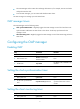
1. Enter system view.
system-view N/A
2. Enter interface view.
interface interface-type
interface-number
N/A
3. Enable OAP.
oap enable
By default, OAP is disabled on an
interface.
Setting the clock synchronization timer
Ste
p
Command
Remarks
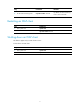
1. Enter system view.
system-view N/A
2. Set the clock synchronization
timer.
oap timer clock-sync minutes
By default, the clock
synchronization timer is set to 5
minutes.
Setting the client monitoring timer
Ste
p
Command
Remarks
1. Enter system view.
system-view N/A