
R21xx-HP FlexFabric 11900 Security Command Reference
121
Usage guidelines
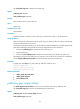
You can set this limit to prevent malicious hacking of usernames and passwords.
This configuration takes effect only for the users at next login.
The any authentication fails if the total number of authentication attempts (including both publickey and
password authentication attempts) exceeds the upper limit configured by the ssh server
authentication-retries command.
If the authentication method of SSH users is password-publickey, the server first uses publickey
authentication, and then uses password authentication to authenticate SSH users. The process is
regarded as one authentication attempt.
Examples
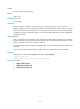
# Set the maximum number of authentication attempts for SSH users to 4.
<Sysname> system-view
[Sysname] ssh server authentication-retries 4
Related commands
display ssh server
ssh server authentication-timeout
Use ssh server authentication-timeout to set the SSH user authentication timeout timer on the SSH server.
Use undo ssh server authentication-timeout to restore the default.
Syntax
ssh server authentication-timeout time-out-value
undo ssh server authentication-timeout
Default
The authentication timeout timer is 60 seconds.
Views
System view
Predefined user roles
network-admin
Parameters
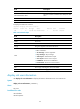
time-out-value: Specifies an authentication timeout timer, in the range of 1 to 120 seconds.
Usage guidelines
If a user does not finish the authentication when the timeout timer expires, the connection is down.
You can set a small value for the timeout timer to prevent malicious occupation of TCP connections while
authentications are suspended.
Examples
# Set the SSH user authentication timeout timer to 10 seconds.
<Sysname> system-view
[Sysname] ssh server authentication-timeout 10