
R21xx-HP FlexFabric 11900 Security Command Reference

125
Usage guidelines
To configure an SSH user that uses publickey authentication, you must create a local user that has the
same username as the SSH user to assign the working directory and user role.
To configure an SSH user that uses password authentication, you must configure a local user account by
using the local-user command for local authentication, or configure an SSH user account on an
authentication server, for example, a RADIUS server, for remote authentication. For password-only SSH
users, you do not need to execute this command to configure them unless you want to use the display ssh
user-information command to display all SSH users, including the password-only SSH users, for
centralized management.
If you use the ssh user command to configure a host public key for a user who has already had a host
public key, the new one overwrites the old one.
You can change the authentication method, service type, and host public key for an SSH user when the
user is communicating with the SSH server, but your changes only take effect for the clients at next login.
For an SFTP or SCP user, the working directory depends on the authentication method:
• If only password authentication is used, the working directory is authorized by AAA.
• If publickey authentication, whether or not with password authentication, is used, the working
directory is specified by the authorization-attribute command in the associated local user view.
For an SFTP or Stelnet user, the user role also depends on the authentication method:
• If only password authentication is used, the user role is authorized by the remote AAA server or the
local device.
• If publickey authentication, whether or not with password authentication, is used, the user role is
specified by the authorization-attribute command in the associated local user view.
Examples
# Create an SSH user named user1, set the service type as sftp and the authentication method as
publickey, and assign a host public key named key1 to the user.
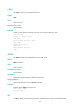
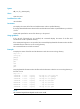
<Sysname> system-view
[Sysname] ssh user user1 service-type sftp authentication-type publickey assign publickey
key1
# Create a local device management user named user1, set the password as 123456 in plain text and
the service type as ssh, and assign the working directory as flash:, the user role as network-admin.
[Sysname] local-user user1 class manage
[Sysname-luser-manage-user1] password simple 123456
[Sysname-luser-manage-user1] service-type ssh
[Sysname-luser-manage-user1] authorization-attribute work-directory flash: user-role
network-admin
Related commands
• authorization-attribute
• display ssh user-information
• local-user