
R21xx-HP FlexFabric 11900 Security Command Reference


198
Parameters
transform-set-name: Specifies an IPsec transform set by its name, a case-sensitive string of 1 to 63
characters.
Usage guidelines
If you do not specify an IPsec transform set, this command displays information about all IPsec transform
sets.
Examples
# Display information about all IPsec transform sets.
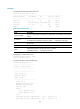
<Sysname> display ipsec transform-set
IPsec transform set: mytransform
State: incomplete
Encapsulation mode: tunnel
Transform: ESP
Table 31 Command output
Field Descri
p
tion
IPsec transform set Name of the IPsec transform set.
State Whether the IPsec transform set is complete.
Encapsulation mode Encapsulation mode used by the IPsec transform set: transport or tunnel.
Transform
Security protocols used by the IPsec transform set: AH, ESP, or both. If both
protocols are configured, IPsec uses ESP before AH.
AH protocol AH settings.
ESP protocol ESP settings.
Integrity Authentication algorithm used by the security protocol.
Encryption Encryption algorithm used by the security protocol.
Related commands
ipsec transform-set
display ipsec tunnel
Use display ipsec tunnel to display information about IPsec tunnels.
Syntax
display ipsec tunnel { brief | count | tunnel-id tunnel-id }
Views
Any view
Predefined user roles
network-admin
network-operator
Parameters
brief: Displays brief information about IPsec tunnels.