
R21xx-HP FlexFabric 11900 Security Command Reference



202
are two hosts behind the gateways. The tunnel mode is typically used for protecting
gateway-to-gateway communications.
The IPsec transform sets at both ends of the IPsec tunnel must have the same encapsulation mode.
The IPsec transform set referenced by the IPsec profile must use the transport mode for packet
encapsulation.
Examples
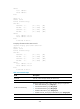
# Configure the IPsec transform set tran1 to use the transport mode for IP packet encapsulation.
<Sysname> system-view
[Sysname] ipsec transform-set tran1
[Sysname-ipsec-transform-set-tran1] encapsulation-mode transport
Related commands
ipsec transform-set
esp authentication-algorithm
Use esp authentication-algorithm to specify an authentication algorithm for ESP.
Use undo esp authentication-algorithm to remove all authentication algorithms specified for ESP.
Syntax
In non-FIPS mode:
esp authentication-algorithm { md5 | sha1 } *
undo esp authentication-algorithm
In FIPS mode:
esp authentication-algorithm sha1
undo esp authentication-algorithm
Default
ESP does not use any authentication algorithms.
Views
IPsec transform set view
Predefined user roles
network-admin
Parameters
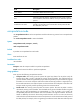
md5: Uses the HMAC-MD5 algorithm, which uses a 128-bit key.
sha1: Uses the HMAC-SHA1 algorithm, which uses a 160-bit key.
Usage guidelines
You can specify multiple ESP authentication algorithms for one IPsec transform set, and the algorithm
specified earlier has a higher priority.
• For a manual IPsec policy, the first specified ESP authentication algorithm takes effect. To make sure
an IPsec tunnel can be established successfully, the IPsec transform sets specified at both ends of the
tunnel must have the same first ESP authentication algorithm.