
R21xx-HP FlexFabric 11900 Security Command Reference

207
Parameters
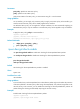
ipv6-policy: Specifies an IPv6 IPsec policy.
policy: Specifies an IPv4 IPsec policy.
policy-name: Name of an IPsec policy, a case-sensitive string of 1 to 63 characters.
Usage guidelines
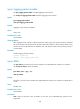
On an interface, you can apply only one IPsec policy. To apply a new IPsec policy to the interface, you
must first remove the IPsec policy that is already applied to the interface.
An IKE-based IPsec policy can be applied to multiple interfaces, but HP recommends applying an
IKE-based IPsec policy to only one interface. A manual IPsec policy can be applied to only one interface.
Examples
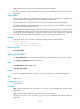
# Apply the IPsec policy policy1 to VLAN-interface 1.
<Sysname> system-view
[Sysname] interface vlan-interface 1
[Sysname-Vlan-interface1] ipsec apply policy policy1
Related commands
• display ipsec { ipv6-policy | policy }
• ipsec { ipv6-policy | policy }
ipsec decrypt-check enable
Use ipsec decrypt-check enable to enable ACL checking for de-encapsulated IPsec packets.
Use undo ipsec decrypt-check to disable ACL checking for de-encapsulated IPsec packets.
Syntax
ipsec decrypt-check enable
undo ipsec decrypt-check enable
Default
ACL checking for de-encapsulated IPsec packets is enabled.
Views
System view
Predefined user roles
network-admin
Usage guidelines
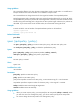
In tunnel mode, the IP packet encapsulated in an inbound IPsec packet might not be under the protection
of the ACL specified in the IPsec policy. After being de-encapsulated, such packets bring threats to the
network security. In this scenario, you can enable ACL checking for de-encapsulated IPsec packets. All
packets failing the checking are discarded, improving the network security.
Examples
# Enable ACL checking for de-encapsulated IPsec packets.
<Sysname> system-view
[Sysname] ipsec decrypt-check enable