
R21xx-HP FlexFabric 11900 Security Command Reference

210
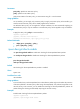
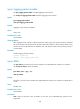
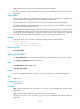
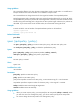
Usage guidelines
This command is effective only when the IPsec encapsulation mode is tunnel mode. It is not effective in
transport mode because outer IP headers are not added in transport mode.
This command does not change the DF bit for the original IP headers of encapsulated packets.
Packet fragmentation and re-assembly might cause packet forwarding delayed. If you set the DF bit for
encapsulated IPsec packets, the packets will not be fragmented. In this case, make sure the MTU on each
interface along the forwarding path is larger than the IPsec packet length. Otherwise, the packets are
discarded. If you cannot make sure of the MTU value, HP recommends clearing the DF bit.
Examples
# Set the DF bit for outer IP headers of encapsulated IPsec packets on all interfaces.
<Sysname> system-view
[Sysname] ipsec global-df-bit set
Related commands
ipsec df-bit
ipsec { ipv6-policy | policy }
Use ipsec { ipv6-policy | policy } to create an IPsec policy entry, and enter IPsec policy view.
Use undo ipsec { ipv6-policy | policy } to delete the specified IPsec policy.
Syntax
ipsec { ipv6-policy | policy } policy-name seq-number [ isakmp | manual ]
undo ipsec { ipv6-policy | policy } policy-name [ seq-number ]
Default
No IPsec policy is created.
Views
System view
Predefined user roles
network-admin
Parameters
ipv6-policy: Specifies an IPv6 IPsec policy.
policy: Specifies an IPv4 IPsec policy.
policy-name: Specifies a name for the IPsec policy, a case-sensitive string of 1 to 63 characters.
seq-number: Specifies a sequence number for the IPsec policy, in the range of 1 to 65535.
isakmp: Establishes IPsec SAs through IKE negotiation.
manual: Establishes IPsec SAs manually.
Usage guidelines
• When you create an IPsec policy, you must specify the SA setup mode (isakmp or manual). When
you enter the view of an existing IPsec policy, you do not need to specify the SA setup mode.
• You cannot change the SA setup mode of an existing IPsec policy.