
R21xx-HP FlexFabric 11900 Security Command Reference

230
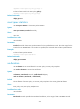
aggregation: Specifies the data protection mode as aggregation. The switch does not support protecting
IPv6 data flows in aggregation mode.
per-host: Specifies the data protection mode as per-host.
Usage guidelines
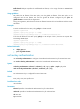
An IKE-based IPsec policy supports the following data flow protection modes:
• Standard mode—One IPsec tunnel protects one data flow. The data flow permitted by an ACL rule
is protected by one IPsec tunnel that is established solely for it. The standard mode is used if you do
not specify the aggregation or the per-host mode.
• Aggregation mode—One IPsec tunnel protects all data flows permitted by all the rules of an ACL.
This mode is only used to communicate with old-version devices.
• Per-host mode—One IPsec tunnel protects one host-to-host data flow. One host-to-host data flow is
identified by one ACL rule and protected by one IPsec tunnel established solely for it. This mode
consumes more system resources when multiple data flows exist between two subnets to be
protected.
A manual IPsec policy supports only the standard mode.
Examples
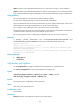
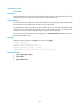
# Reference ACL 3001 for the IPsec policy policy1.
<Sysname> system-view
[Sysname] acl number 3001
[Sysname-acl-adv-3001] rule permit tcp source 10.1.1.0 0.0.0.255 destination 10.1.2.0
0.0.0.255
[Sysname-acl-adv-3001] quit
[Sysname] ipsec policy policy1 100 manual
[Sysname-ipsec-policy-manual-policy1-100] security acl 3001
Related commands
• display ipsec sa
• display ipsec tunnel
transform-set
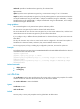
Use transform-set to reference an IPsec transform set for an IPsec policy, IPsec policy template, or IPsec
profile.
Use undo transform-set to remove the IPsec transform set referenced by an IPsec policy, IPsec policy
template, or IPsec profile.
Syntax
transform-set transform-set-name&<1-6>
undo transform-set [ transform-set-name ]
Default
An IPsec policy, IPsec policy template, or IPsec profile references no IPsec transform set.
Views
IPsec policy view, IPsec policy template view, IPsec profile view