
R21xx-HP FlexFabric 11900 Security Command Reference
18
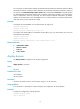
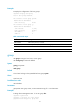
user-role role-name: Specifies the authorized user role. The role-name argument is a case-sensitive string
of 1 to 63 characters. The default user role for a local user created by a network-admin user is
network-operator. Up to 64 user roles can be specified for a user. For user role-related commands, see
Fundamentals Command Reference for RBAC commands. This option is available only in local user view,
and is not available in user group view.
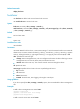
vlan vlan-id: Specifies the authorized VLAN. The vlan-id argument is in the range of 1 to 4094. After a
passing authentication and being authorized a VLAN, a local user can access only the resources in this
VLAN.
work-directory directory-name: Specifies the work directory for FTP, SFTP, or SCP users. The
directory-name argument is a case-insensitive string of 1 to 512 characters. The directory must already
exist. By default, an FTP, SFTP, or SCP user can access the root directory of the device.
Usage guidelines
Every configurable authorization attribute has its definite application environments and purposes.
Consider the service types of users when assigning authorization attributes:
• For Telnet and terminal users, only the authorization attribute user-role is effective.
• For SSH and FTP users, only the authorization attributes user-role and work-directory are effective.
Authorization attributes configured for a user group are intended for all local users in the group. You can
group local users to improve configuration and management efficiency. An authorization attribute
configured in local user view takes precedence over the same attribute configured in user group view.
If only one user is playing the role of security log administrator in the system, you cannot delete the user
account, or remove or change the user's role, unless you configure another user as a security log
administrator first.
Make sure the specified work directory does not include slot information. Otherwise, FTP, SFTP, and SCP
users might fail to access the directory after an active/standby switchover.
To make the user have only the user role authorized by this command, use the undo
authorization-attribute user-role command to remove the predefined user roles.
Examples
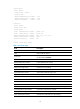
# Configure the authorized VLAN of the network access user abc as VLAN 2.
<Sysname> system-view
[Sysname] local-user abc class network
[Sysname-luser-network-abc] authorization-attribute vlan 2
# Configure the authorized VLAN of user group abc as VLAN 3.
<Sysname> system-view
[Sysname] user-group abc
[Sysname-ugroup-abc] authorization-attribute vlan 3
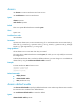
Related commands
• display local-user
• display user-group
display local-user
Use display local-user to display the local user configuration and online user statistics.