
R21xx-HP FlexFabric 11900 Security Command Reference

257
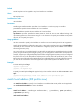
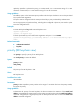
cipher-key: Specifies a ciphertext key string. In non-FIPS mode, it is a case-sensitive string of 1 to 201
characters. In FIPS mode, it is a case-sensitive string of 15 to 201 characters.
Usage guidelines
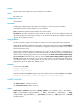
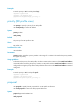
The address option or the hostname option specifies with which peer the device can use the pre-shared
key to perform IKE negotiation.
Two peers must be configured with the same pre-shared key to pass pre-shared key authentication.
For security purposes, all pre-shared keys, including those configured in plain text, are saved in cipher
text to the configuration file.
Examples
# Create IKE keychain key1 and enter IKE keychain view.
<Sysname> system-view
[Sysname] ike keychain key1
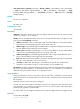
# Set the pre-shared key to be used for IKE negotiation with peer 1.1.1.2 to 123 456.
[Sysname-ike-keychain-key1] pre-shared-key address 1.1.1.2 255.255.255.255 key simple
123456
Related commands
• authentication-method
• keychain
priority (IKE keychain view)
Use priority to specify a priority for an IKE keychain.
Use undo priority to restore the default.
Syntax
priority number
undo priority
Default
The priority of an IKE keychain is 100.
Views
IKE keychain view
Predefined user roles
network-admin
Parameters
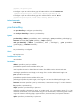
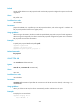
priority number: Specifies a priority number in the range of 1 to 65535. The lower the priority number,
the higher the priority.
Usage guidelines
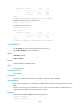
To determine the priority of an IKE keychain, the device examines the existence of the match local
address command before examining the priority number. An IKE keychain with the match local address
command configured has a higher priority than an IKE keychain that does not have the match local
address command configured.