
R21xx-HP FlexFabric 11900 Security Command Reference
27
Default
The accounting-on feature is disabled.
Views
RADIUS scheme view
Predefined user roles
network-admin
Parameters
interval seconds: Specifies the time interval for retransmitting an accounting-on packet in seconds, in the
range of 1 to 15. The default setting is 3 seconds.
send send-times: Specifies the maximum number of accounting-on packet transmission attempts, in the
range of 1 to 255. The default setting is 50.
Usage guidelines
The accounting-on feature enables the device to automatically send an accounting-on packet to the
RADIUS server after a reboot. Upon receiving the accounting-on packet, the RADIUS server logs out all
users who access the network through the device.
Execute the save command to make sure the accounting-on enable command takes effect at the next
reboot. For information about the save command, see Fundamentals Command Reference.
Parameters set with the accounting-on enable command take effect immediately.
Examples
# Enable the accounting-on feature for RADIUS scheme radius1, and set the retransmission interval to 5
seconds and the transmission attempts to 15.
<Sysname> system-view
[Sysname] radius scheme radius1
[Sysname-radius-radius1] accounting-on enable interval 5 send 15
Related commands
display radius scheme
data-flow-format (RADIUS scheme view)
Use data-flow-format to set the traffic statistics unit for data flows or data packets.
Use undo data-flow-format to restore the default.
Syntax
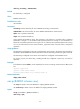
data-flow-format { data { byte | giga-byte | kilo-byte | mega-byte } | packet { giga-packet |
kilo-packet | mega-packet | one-packet } } *
undo data-flow-format { data | packet }
Default
Traffic is counted in bytes and packets.
Views
RADIUS scheme view