
R21xx-HP FlexFabric 11900 Security Command Reference


64
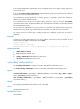
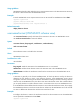
(a secondary HWTACACS authentication server configured earlier has a higher priority) and tries to
communicate with it.
If you use the undo secondary authentication command without specifying any parameter, the command
removes all secondary authentication servers.
Two authentication servers specified for a scheme, primary or secondary, cannot have identical IP
address, port number, and VPN settings.
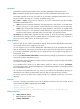
If the specified server resides on an MPLS L3VPN, specify the VPN by using the vpn-instance
vpn-instance-name option. The VPN specified by this command takes precedence over the VPN specified
for the HWTACACS scheme.
You can remove an authentication server only when it is not used for user authentication. Removing an
authentication server affects only authentication processes that occur after the remove operation.
For security purpose, all shared keys, including shared keys configured in plain text, are saved in
ciphertext.
Examples
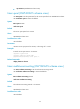
# Specify a secondary authentication server with IP address 10.163.155.13, TCP port number 49, and
plaintext shared key abc for HWTACACS scheme hwt1
<Sysname> system-view
[Sysname] hwtacacs scheme hwt1
[Sysname-hwtacacs-hwt1] secondary authentication 10.163.155.13 49 key simple abc
Related commands
• display hwtacacs scheme
• key (HWTACACS scheme view)
• primary authentication (HWTACACS scheme view)
• vpn-instance (HWTACACS scheme view)
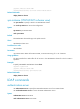
secondary authorization
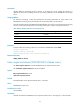
Use secondary authorization to specify a secondary HWTACACS authorization server.
Use undo secondary authorization to remove a secondary HWTACACS authorization server.
Syntax
secondary authorization { ipv4-address | ipv6 ipv6-address } [ port-number I key { cipher | simple }
string | vpn-instance vpn-instance-name ] *
undo secondary authorization [ { ipv4-address | ipv6 ipv6-address } [ port-number | vpn-instance
vpn-instance-name ]* ]
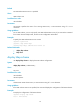
Default
No secondary HWTACACS authorization server is specified.
Views
HWTACACS scheme view
Predefined user roles
network-admin