99
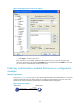
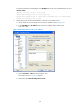
Figure 31 Specifying SSH version
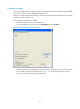
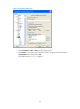
c. Select Connection > SSH > Auth from the navigation tree.
d. Click Browse… to bring up the file selection window, navigate to the private key file
(private.ppk in this case) and click OK.
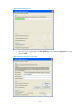
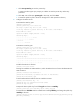
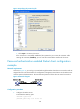
The window shown in Figure 32 appears.