
R21xx-HP FlexFabric 11900 Security Configuration Guide

126
Configuration guidelines
Configure this feature when ARP detection or ARP snooping is enabled, or when ARP flood attacks are
detected.
Configuration procedure
This task sets a rate limit for ARP packets received on an interface.
When the receiving rate of ARP packets on the interface exceeds the rate limit, the device sends log
messages about the event.
Log messages are sent to the information center of the device. You can set output rules for log messages
on the information center. For more information about information center, see Network Management
and Monitoring Configuration Guide.
To configure ARP packet rate limit:
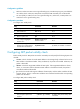
Ste
p
Command
Remarks
1. Enter system view.
system-view N/A
2. Enter Layer-2 Ethernet interface
or Layer-2 aggregate interface
view.
interface interface-type
interface-number
N/A
3. Enable ARP packet rate limit
and configure the rate limit.
arp rate-limit [ pps ]
By default, ARP packet rate limit is
enabled, and the rate limit is 100
pps.
NOTE:
If you configure ARP packet rate limit on a Layer-2 aggregate interface, log messages are sent when the
A
RP packet receiving rate on a member interface exceeds the limit.
Configuring source MAC-based ARP attack
detection
This feature checks the number of ARP packets received from the same MAC address within 5 seconds
against a specified threshold. If the threshold is exceeded, the device adds the MAC address in an ARP
attack entry. Before the entry is aged out, the device handles the attack by using either of the following
methods:
• Monitor—Generates log messages.
• Filter—Generates log messages and filters out subsequent ARP packets from that MAC address.
You can exclude the MAC addresses of some gateways and servers from this detection. This feature does
not inspect ARP packets from those devices even if they are attackers.
Configuration procedure
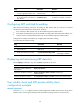
To configure source MAC address based ARP attack detection: