
R21xx-HP FlexFabric 11900 Security Configuration Guide
145
4.
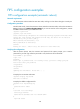
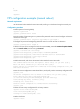
Add a local user, and configure the password, user role (network-admin), and service type.
5. Delete the FIPS-incompatible local user service types Telnet and FTP.
6. Enable FIPS mode.
7. Select the manual reboot method.
8. Save the configuration file and specify it as the next startup configuration file.
9. Delete the original next startup configuration file in binary notation.
10. Reboot the device.
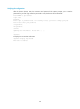
11. The system enters FIPS mode. You can only use the configured username and password to log in
to the device in FIPS mode.
Configuration changes in FIPS mode
When the system operates in FIPS mode, the following changes occur:
• The user login authentication mode can only be scheme.
• FTP/TFTP is disabled.
• Telnet is disabled.
• SNMPv1 and SNMPv2c are disabled. Only SNMPv3 is available.
• The SSH server does not support SSHv1 clients.
• The generated RSA and DSA key pairs must have a modulus length of 2048 bits.
• SSH, SNMPv3, and IPsec do not support DES, 3DES, RC4, or MD5 algorithms.
• The keys must contain at least 15 characters and 4 compositions of uppercase and lowercase letters,
digits, and special characters. This requirement applies to the following passwords (the last two
passwords are for password control):
{ AAA server's shared key
{ IKE per-shared key
{ SNMPv3 authentication key
{ Password for a device management local user
{ Password for switching user roles
Configuration restrictions and guidelines
• After the fips mode enable command is executed, the system prompts you to choose a reboot
method. If you do not make a choice within 30 seconds, the system uses the manual reboot method
by default.
• No matter which reboot method you use, the device automatically removes all digital certificates
and key pairs before reboot. You cannot log in to the device through SSH after the device enters
FIPS mode. To log in to the device in FIPS mode through SSH, first log in to the device through the
Console port, and then create a key pair for the SSH server.
• The password for entering the device in FIPS mode must comply with the password control policies,
such as password length, complexity, or aging policy. When the aging time for a password elapses,
the user is required to change the password in time. Due to the earlier factory time, the login
password might expire before the next login when you adjust the system time after the device enters
FIPS mode. If you choose the automatic reboot method, HP recommends that you set the accurate
system time before executing the fips mode enable command. If you choose the manual reboot