
R21xx-HP FlexFabric 11900 Security Configuration Guide

147
NOTE:
If a self-test fails, contact technical support engineers.
Power-up self-test
The power-up self-test, also called "known-answer test", examines the availability of FIPS-allowed
cryptographic algorithms. A cryptographic algorithm is run on data for which the correct output is
already known. The calculated output is compared with the known answer. If they are not identical, the
known-answer test fails.
The power-up self-test examines the following cryptographic algorithms: DSA (signature and
authentication), RSA (signature and authentication), RSA (encryption and decryption), AES, 3DES, SHA1,
HMAC-SHA1, and random number generator algorithms.
Conditional self-test
A conditional self-test runs when an asymmetrical cryptographic module or a random number generator
module is invoked. Conditional self-tests include the following types:
• Pair-wise consistency test—This test is run when a DSA/RSA asymmetrical key-pair is generated. It
uses the public key to encrypt a plain text, and uses the private key to decrypt the encrypted text. If
the decryption is successful, the test succeeds. Otherwise, the test fails.
• Continuous random number generator test—This test is run when a random number is generated.
If two consecutive random numbers are different, the test succeeds. Otherwise, the test fails. This test
can also be run when a DSA/RSA asymmetrical key-pair is generated.
Triggering a self-test
To examine whether the cryptography modules operate correctly, you can use a command to trigger a
self-test on the cryptographic algorithms. The triggered self-test is the same as the power-up self-test. If the
self-test fails, the device automatically reboots.
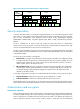
To trigger a self-test:
Ste
p
Command
1. Enter system view.
system-view
2. Trigger a self-test.
fips self-test
Displaying and maintaining FIPS
Task Command Remarks
Display FIPS mode state. display fips status Available in any view.