
R21xx-HP FlexFabric 11900 Security Configuration Guide

22
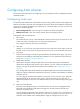
Tasks at a
g
lance
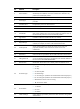
(Optional.) Specifying the source IP address for outgoing RADIUS packets
(Optional.) Setting RADIUS timers
(Optional.) Configuring the accounting-on feature
(Optional.) Configuring the IP addresses of the security policy servers
(Optional.) Displaying and maintaining RADIUS
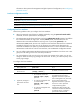
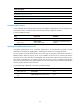
Creating a RADIUS scheme
Create a RADIUS scheme before performing any other RADIUS configurations. You can configure up to
16 RADIUS schemes. A RADIUS scheme can be referenced by multiple ISP domains.
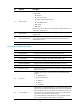
To create a RADIUS scheme:
Ste
p
Command
Remarks
1. Enter system view.
system-view N/A
2. Create a RADIUS scheme and
enter its view.
radius scheme
radius-scheme-name
By default, no RADIUS scheme is
defined.
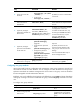
Specifying the RADIUS authentication servers
A RADIUS authentication server completes authentication and authorization together, because
authorization information is piggybacked in authentication responses sent to RADIUS clients.
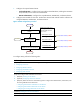
You can specify one primary authentication server and up to 16 secondary authentication servers for a
RADIUS scheme. When the primary server is not available, the device tries to communicate with the
secondary servers in the order they are configured, and communicates with the first secondary server in
active state. If redundancy is not needed, specify only the primary server. A RADIUS authentication
server can function as the primary authentication server for one scheme and a secondary authentication
server for another scheme at the same time.
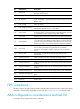
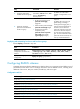
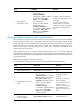
To specify RADIUS authentication servers for a RADIUS scheme:
Ste
p
Command
Remarks
1. Enter system view.
system-view N/A
2. Enter RADIUS scheme
view.
radius scheme radius-scheme-name N/A