
R21xx-HP FlexFabric 11900 Series High Availability Command Reference
5
display oam configuration
Use display oam configuration to display global Ethernet OAM configuration on the specified port,
including the periods and thresholds for Ethernet OAM link error event detection.
Syntax
display oam configuration [ interface interface-type interface-number ]
Views
Any view
Predefined user roles
network-admin
network-operator
Parameters
interface interface-type interface-number: Specifies a port by its type and number.
Usage guidelines
If you do not specify the interface keyword, this command displays Ethernet OAM configuration globally
and on all ports.
Examples
# Display Ethernet OAM configuration globally and on all ports.
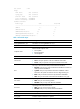
<Sysname> display oam configuration
---------------- [Global] ----------------
OAM timers
Hello timer : 1000 milliseconds
Keepalive timer : 5000 milliseconds
Link monitoring
Errored symbol period
Window : 100 x 1000000 symbols
Threshold : 1 error symbols
Errored frame
Window : 10 x 100 milliseconds
Threshold : 1 error frames
Errored frame period
Window : 1000 x 10000 frames
Threshold : 1 error frames
Errored frame seconds
Window : 600 x 100 milliseconds
Threshold : 1 error seconds
----------- [Ten-GigabitEthernet1/0/1] -----------
OAM timers
Hello timer : 1000 milliseconds
Keepalive timer : 5000 milliseconds
Link monitoring
Errored symbol period
Window : 100 x 1000000 symbols