
R21xx-HP FlexFabric 11900 Series High Availability Command Reference
11
Default
The port uses the global setting.
Views
Layer 2 Ethernet port view, Layer 3 Ethernet port view
Predefined user roles
network-admin
Parameters
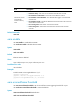
threshold-value: Specifies the errored frame event triggering threshold in number of errored frame
seconds, in the range of 0 to 4294967295.
Usage guidelines
The configuration in port view takes effect on the specified port. For a port, the configuration in port view
takes precedence.
Examples
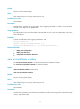
# Set the errored frame event triggering threshold to 100.
<Sysname> system-view
[Sysname] interface ten-gigabitethernet 1/0/1
[Sysname-Ten-GigabitEthernet1/0/1] oam errored-frame threshold 100
Related commands
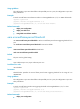
• display oam configuration
• display oam link-event
• oam global errored-frame threshold
oam errored-frame window
Use oam errored-frame window to set the errored frame event detection window.
Use undo oam errored-frame window to restore the default.
Syntax
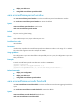
oam errored-frame window window-value
undo oam errored-frame window
Default
The port uses the global setting.
Views
Layer 2 Ethernet port view, Layer 3 Ethernet port view
Predefined user roles
network-admin
Parameters
window-value: Specifies the errored frame event detection window in the range of 10 to 600 and in steps
of 10 (in 100 milliseconds).