
R21xx-HP FlexFabric 11900 Series High Availability Command Reference


32
Field Descri
p
tion
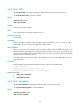
Last MAC MAC address of the last-hop device the LTM passes.
Relay Action
Indicates whether the forwarding device found the destination MAC
address in its MAC address table.
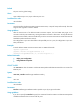
When the standard version (IEEE 802.1ag) of CFD is used:
• Hit—The current device is the destination device.
• FDB—The forwarding device found the destination MAC address.
• MPDB—The destination MAC address is not found, or the destination
MAC address is found in the MEP or MIP database.
Related commands
• cfd linktrace auto-detection
• display cfd linktrace-reply
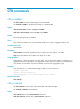
cfd linktrace auto-detection
Use cfd linktrace auto-detection to enable the auto sending of linktrace messages.
Use undo cfd linktrace auto-detection to disable this function.
Syntax
cfd linktrace auto-detection [ size size-value ]
undo cfd linktrace auto-detection
Default
This function is disabled.
Views
System view
Predefined user roles
network-admin
Parameters
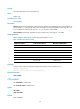
size size-value: Specifies the size of the buffer used to store the auto-detection result. The value range for
the size-value argument is 1 to 100 (in terms of sending times), and the default is 5, which means the
buffer stores the results of the recent five auto-detections.
Usage guidelines
After LT messages automatic sending is enabled, if the source MEP fails to receive the CCMs from the
target MEP within 3.5 times the sending interval, the link between the two is regarded as faulty and LTMs
will be sent out. (The destination of the LTMs is the target MEP, and the TTL field value is 255.) Based on
the LTRs that echo back, the fault source can be located.
Once you disable LT message automatic sending, the content stored in the buffer will be removed.
Examples
# Enable automatic LT messages sending, and set the size of the buffer used to store the auto-detection
result to 100 (in terms of sending times).
<Sysname> system-view
[Sysname] cfd linktrace auto-detection size 100