
R21xx-HP FlexFabric 11900 Series High Availability Command Reference

52
Views
Any view
Predefined user roles
network-admin
network-operator
Parameters
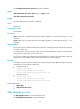
interface interface-type interface-number: Specifies a port by its type and number.
Usage guidelines
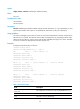
If no port is specified, this command displays the statistics on the DLDP packets passing through all the
DLDP-enabled ports.
Examples
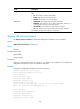
# Display the statistics on the DLDP packets passing through all the DLDP-enabled ports.
<Sysname> display dldp statistics
Interface Ethernet1/1
Packets sent: 6
Packets received: 5
Invalid packets received: 2
Loopback packets received: 0
Authentication-failed packets received: 0
Valid packets received: 3
Interface Ethernet1/2
Packets sent: 7
Packets received: 7
Invalid packets received: 3
Loopback packets received: 0
Authentication-failed packets received: 0
Valid packets received: 4
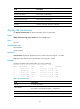
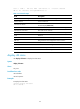
Table 17 Command output
Field Descri
p
tion
Interface Port index.
Packets sent Total number of DLDP packets sent.
Packets received Total number of DLDP packets received.
Invalid packets received Number of the invalid packets received.
Loop packets received Number of the loopback packets received.
Authentication failed packets received
Number of the received packets that failed to pass the authentication.
Valid packets received Number of the valid packets received.
Related commands
reset dldp statistics