
R21xx-HP FlexFabric 11900 Series High Availability Command Reference
53
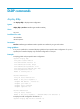
dldp authentication-mode
Use dldp authentication-mode to configure DLDP authentication.
Use undo dldp authentication-mode to restore the default.
Syntax
dldp authentication-mode { md5 | none | simple }
undo dldp authentication-mode
Default
DLDP authentication is not performed.
Views
System view
Predefined user roles
network-admin
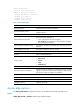
Parameters
md5: Specifies the MD5 authentication mode.
none: Specifies not to perform authentication.
simple: Specifies the plain text authentication mode.
Usage guidelines
To enable DLDP to operate correctly, make sure the DLDP authentication modes and the passwords
configured on the two ends of a link are the same.
If you do not configure the authentication password after you configure the authentication mode, the
authentication mode is none no matter which authentication mode you configure.
Examples
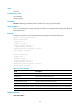
# Configure to perform plain text authentication and set the password to abc (assuming that Device A
and Device B are connected by a DLDP link).
• Configure Device A:
<DeviceA> system-view
[DeviceA] dldp authentication-mode simple
[DeviceA] dldp authentication-password simple abc
• Configure Device B:
<DeviceB> system-view
[DeviceB] dldp authentication-mode simple
[DeviceB] dldp authentication-password simple abc
Related commands
• display dldp
• dldp authentication-password
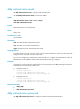
dldp authentication-password
Use dldp authentication-password to configure the password for DLDP authentication.