
R21xx-HP FlexFabric 11900 Series High Availability Command Reference
93
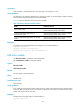
Examples
# Configure the minimum interval for receiving multi-hop BFD control packets as 500 milliseconds.
<Sysname> system-view
[Sysname] bfd multi-hop min-receive-interval 500
bfd multi-hop min-transmit-interval
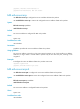
Use bfd multi-hop min-transmit-interval to configure the minimum interval for transmitting multi-hop BFD
control packets.
Use undo bfd multi-hop min-transmit-interval to restore the default.
Syntax
bfd multi-hop min-transmit-interval value
undo bfd multi-hop min-transmit-interval
Default
The minimum interval for transmitting multi-hop BFD control packets is 1000 milliseconds.
Views
System view
Predefined user roles
network-admin
Parameters
value: Specifies the minimum interval for transmitting multi-hop BFD control packets, in milliseconds. The
value range for this argument is 100 to 1000.
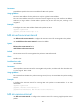
Usage guidelines
Use this command to make sure that the BFD packet sending rate does not exceed the device capability.
The actual BFD control packet transmitting interval on the local end is the greater value between the
minimum interval for transmitting BFD control packets on the local end and the minimum interval for
receiving BFD control packets on the peer end.
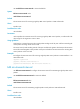
Examples
# Configure the minimum interval for transmitting multi-hop BFD control packets as 500 milliseconds.
<Sysname> system-view
[Sysname] bfd multi-hop min-transmit-interval 500
bfd session init-mode
Use bfd session init-mode to configure the mode for establishing a BFD session.
Use undo bfd session init-mode to restore the default.
Syntax
bfd session init-mode { active | passive }
undo bfd session init-mode
Default
BFD uses the active mode.