
HP Photosmart R507/R607 digital camera with HP Instant Share - User's Manual

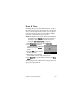

Table Of Contents
- Chapter 1: Getting Started
- Setup
- Camera Parts
- Camera States
- Camera Menus
- Camera Status Screen
- Chapter 2: Taking Pictures and Recording Video Clips
- Chapter 3: Reviewing Images and Video Clips
- Chapter 4: Using HP Instant Share
- Chapter 5: Transferring and Printing Images
- Chapter 6: Using the Setup Menu
- Chapter 7: Troubleshooting and Support
- Appendix A: Managing Batteries
- Appendix B: Purchasing Camera Accessories
- Appendix C: Specifications

Chapter 6: Using the Setup Menu 105
Date & Time
This setting allows you to set the date/time format, as well as
the current date and time for the camera. This is usually done
when you first set up the camera; however, you may need to
re-set the date and time when you are travelling to different
time zones, or if the date and time is incorrect.
NOTE The date/time format chosen will be used to display the
date information in Playback. Also, this format chosen in
this setting is what is used in the date & time imprint
feature (see Date & Time Imprint on page 67).
1 In the Setup Menu (page 103), select Date & Time.
2 In the Date & Time sub-menu,
adjust the value of the highlighted
selection by using the
buttons.
3 Press the buttons to move to
the other selections.
4 Repeat steps 2 and 3 until the
correct date/time format, date, and time are set.
5 Press Menu/OK to save the setting and return to the Setup
Menu.
The new setting remains in effect until it is changed again, even
when you turn the camera off.