
HP Photosmart R507/R607 digital camera with HP Instant Share - User's Manual
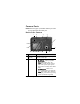
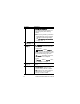
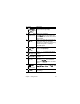
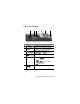
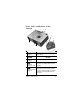
Table Of Contents
- Chapter 1: Getting Started
- Setup
- Camera Parts
- Camera States
- Camera Menus
- Camera Status Screen
- Chapter 2: Taking Pictures and Recording Video Clips
- Chapter 3: Reviewing Images and Video Clips
- Chapter 4: Using HP Instant Share
- Chapter 5: Transferring and Printing Images
- Chapter 6: Using the Setup Menu
- Chapter 7: Troubleshooting and Support
- Appendix A: Managing Batteries
- Appendix B: Purchasing Camera Accessories
- Appendix C: Specifications

22 HP Photosmart R507/R607 User’s Manual
z Both and AF blinking—An error has
occurred that prevents the camera from
taking the picture (see the following
NOTE).
NOTE If an error prevents a picture from
being taken, then an error message
will appear on the Image Display.
See Error Messages on the Camera
on page 130.
3
ON/OFF
switch (page 17)
Turns the camera power on and off.
4 Zoom lever
(page 40)
z Zoom Out—While taking still
pictures, zooms out the lens to the wide
angle position.
z Thumbnails—While in Playback,
allows you to view still images and the first
frames of video clips arranged in a matrix
of nine thumbnail images per screen.
z Zoom In—While taking still pictures,
zooms in the lens to the telephoto
position.
z Magnify—While in Playback, allows
you to magnify a still image.
5 Wrist strap mount
(page 12)
Allows you to attach a wrist strap to the
camera.
6Memory light
z Blinking rapidly—Camera is writing to
either the internal memory or to an
optional memory card that is installed.
z Off—Camera is not writing to either the
internal memory or to an optional
memory card that is installed.
# Name Description