
3Com Switch 4200G Configuration Guide




22
HABP CONFIGURATION
Introduction to HABP With 802.1x enabled, a switch authenticates and then authorizes 802.1x-enabled
ports. Packets can be forwarded only by authorized ports. If ports connected to the
switch are not authenticated and authorized by 802.1x, their received packets will be
filtered. This means that users can no longer manage the attached switches. To
address this problem, 3Com authentication bypass protocol (HABP) has been
developed.
An HABP packet carries the MAC addresses of the attached switches with it. It can
bypass the 802.1x authentications when traveling between HABP-enabled switches,
through which management devices can obtain the MAC addresses of the attached
switches and thus the management of the attached switches is feasible.
An HABP packet encapsulates the MAC address of the connected switch to a given
port. This allows HABP packets to bypass 802.1x authentication and to be forwarded
between HABP-enabled switches. Therefore, the management devices can get the
MAC addresses of their attached switches to manage them effectively.
HABP is implemented by HABP server and HABP client. Normally, an HABP server
sends HABP request packets regularly to HABP clients to collect the MAC addresses of
the attached switches. HABP clients respond to the HABP request packets and
forward the HABP request packets to lower-level switches. HABP servers usually reside
on management devices and HABP clients usually on attached switches.
For ease of switch management, it is recommended that you enable HABP for
802.1x-enabled switches.
HABP Server
Configuration
With the HABP server launched, a management device sends HABP request packets
regularly to the attached switches to collect their MAC addresses. You need also to
configure the interval on the management device for an HABP server to send HABP
request packets.
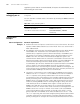
Table 129 Configure an HABP server
Operation Command Description
Enter system view system-view -
Enable HABP habp enable Required
HABP is enabled by default.
Configure the current
switch to be an HABP
server
habp server vlan vlan-id Required
By default, a switch operates as an
HABP client after you enable HABP
on the switch, and if you want to
use the switch as a management
switch, you must configure the
switch to be an HABP server.
Configure the interval
to send HABP request
packets.
habp timer interval Optional
The default interval for an HABP
server to send HABP request
packets is 20 seconds.