
3Com Switch 8800 Family Firewall Module Configuration and Command Reference Guide


Introduction to Web and E-mail Filtering 133
9
WEB AND E-MAIL FILTERING
Introduction to Web
and E-mail Filtering
As network technology increasingly gain popularity in various fields, attacks
sourced from within a LAN escalate. Faced with this situation, traditional network
security schemes, which only focus on attacks sourced from external networks,
become obsolete. At present, network devices are required to meet the demands
of establishing secure internal networks to ensure internal network security.
The Web and e-mail filtering function provided by firewalls can deny accesses to
illegal Web sites or Web pages and prevent internal users from sending mails that
are unnecessary to illegal external mail box. The mail alarming function can inform
administrators of external attacks through alarming mails for them to take proper
measures on time.
The Firewall module can also prevent SQL (structure query language) attacks by
checking the HTTP command in HTTP packets and judging if they are attacks to
the system.
Configuring Web
Filtering
Configuring Web
Address Filtering
Enabling/Disabling Web address filtering
Before configuring Web address filtering for a firewall, you must enable this
function first for related configurations to take effect.
Perform the following configuration in system view.
Web address filtering is disabled by default.
c
CAUTION: You must configure ASPF policies and execute the detect http and
detect tcp commands first to enable Web address filtering. Refer to section
“Configuring ASPF” “Configuring ASPF” for information about ASPF.
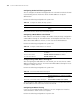
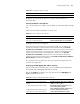
Tab le 120 Enable Web address filtering
Operation Command
Enable Web address filtering firewall url-filter host enable
Disable Web address filtering undo firewall url-filter host enable