
3Com Switch 8800 Family Firewall Module Configuration and Command Reference Guide

306 CHAPTER 18: FIREWALL CONFIGURATION COMMANDS
undo aging-time { syn | fin | tcp | udp }
View
ASPF policy view
Parameter
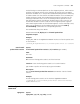
seconds: Idle timeout time of the session entry when the SYN and FIN packets or
TCP and UDP protocols are detected.
Description
Use the aging-time command to configure SYN status waiting timeout value and
FIN status waiting timeout value of TCP, session entry idle timeout value of TCP
and UDP.
Use the undo aging-time command to restore the default value.
Before the aging-time expires, the system will retain the connections and the
sessions that have been set up.
By default, the timeout time for SYN packets, FIN packets, TCP protocol and UDP
protocol are 30 seconds, 30 seconds, 3,600 seconds and 30 seconds respectively.
Related command: display aspf all, display aspf policy, display aspf session
and display aspf interface.
Example
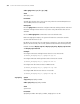
# Configure SYN status waiting timeout value of TCP as 20 seconds.
[SecBlade_FW-aspf-policy-1] aging-time syn 20
# Configure FIN status waiting timeout value of FIN as 10 seconds.
[SecBlade_FW-aspf-policy-1] aging-time fin 10
# Configure TCP idle timeout value as 3000 seconds.
[SecBlade_FW-aspf-policy-1] aging-time tcp 3000
# Configure UDP idle timeout value as 110 seconds.
[SecBlade_FW-aspf-policy-1] aging-time udp 110
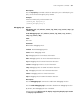
aspf-policy Syntax
aspf-policy aspf-policy-number
undo aspf-policy aspf-policy-number
View
System view
Parameter
aspf-policy-number: ASPF policy number, ranging from 1 to 99.