
3Com Switch 8800 Family Firewall Module Configuration and Command Reference Guide

Security Zone Configuration Commands 325
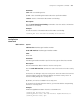
Parameter
item: MAC-to-IP binding entries.
ip-addr: Clears the binding information about the specified IP address.
statistic: Statistics information about MAC-to-IP binding.
Description
Use the reset firewall mac-binding command to clear the statistics information
about MAC-to-IP binding.
Example
# Clear the statistics information about all the MAC-to-IP binding.
<SecBlade_FW> reset firewall mac-binding item statistic
Security Zone
Configuration
Commands
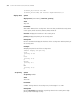
add interface Syntax
add interface interface-type interface-number
undo add interface interface-type interface-number
View
Zone view
Parameter
interface-type interface-number: Specifies interface type and interface number.
Description
Use the command to add an interface into the security zone.
Use the undo add interface command to remove the interface from the security
zone.
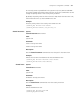
An interface can belong to only one security zone. You must remove the interface
from the original security zone before adding it to another security zone if an
interface already belongs to a security zone.
By default, no interface is added in the security zone.
To interwork the firewall with other devices, you need to add the corresponding
interface in a security zone.
Example
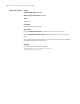
# Add the GigabitEthernet0/0.1 interface to the DMZ zone.
[SecBlade_FW] firewall zone trust
[SecBlade_FW-zone-trust] undo add interface GigabitEthernet0/0.1
[SecBlade_FW-zone-trust] quit