
3Com Switch 8800 Family Firewall Module Configuration and Command Reference Guide
188 CHAPTER 11: LOG MAINTENANCE
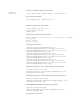
# Add the sub-interface of the external network to the untrust zone.
[secblade] firewall zone untrust
[secblade-zone-untrust] add interface GigabitEthernet 0/0.2
[secblade-zone-untrust] quit
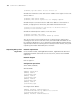
# Add GigabitEthernet0/0.3 sub-interface to the DMZ.
[secblade] firewall zone DMZ
[secblade-zone-DMZ] add interface GigabitEthernet 0/0.3
[secblade-zone-DMZ] quit
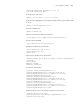
# Configure the static route.
[secblade] ip route-static 10.0.0.0 24 30.0.0.1
# Configure the ACL rule.
[secblade] acl number 3000
[secblade-acl-adv-3000] rule permit ip source 10.0.0.0 0.0.0.255
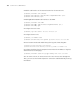
# Enter interzone mode and enable binary-flow log switch matching ACL.
[secblade] firewall interzone trust untrust
[secblade-interzone-trust-untrust] session log enable acl-number 3000
# Configure the binary-flow log output format and set the IP address of log host
and the interface receiving log.
[secblade] firewall session log-type binary host 10.0.0.5 9002
You can connect the PC in untrust zone to the server in trust zone through FTP.
Then, you can see the firewall outputs the connection established binary-flow log
information.