
3Com Switch 8800 Family Firewall Module Configuration and Command Reference Guide
332 CHAPTER 19: TRANSPARENT FIREWALL CONFIGURATION COMMANDS
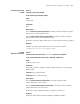
undo debugging firewall transparent-mode ip-forwarding
View
User view
Parameter
None
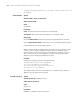
Description
Use the debugging firewall transparent-mode ip-forwarding command to
enable debugging for IP packet forwarding on the transparent firewall.
Use the undo debugging firewall transparent-mode ip-forwarding
command to disable debugging for IP packet forwarding on the transparent
firewall.
By default, debugging for IP packet forwarding on the transparent firewall is not
enabled.
Example
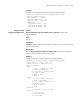
# Enable debugging for IP packet forwarding on the transparent firewall.
<SecBlade_FW> debugging firewall transparent-mode ip-forwarding
The Transparent-mode Ip-forwarding Debugging is on
<SecBlade_FW>
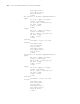
*0.11355193 3Com FWTP/8/rcv_ip:Receive an IP packet
interface: GigabitEthernet0/0
source_ip_addr : 192.168.3.6
source_port : 33073
destination_ip_addr : 192.168.3.8
destination_port : 52128
protocol : 1
*0.11355193 3Com FWTP/8/sndto_secur:Send an IP packet to security module
source_ip_addr : 192.168.3.6
source_port : 17664
destination_ip_addr : 192.168.3.8
destination_port : 60
protocol : 1
return value:0
*0.11355193 3Com FWTP/8/snd_ip:Send an IP packet
interface: GigabitEthernet0/1
source_ip_addr : 192.168.3.6
source_port : 0
destination_ip_addr : 192.168.3.8
destination_port : 1
protocol : 1
*0.11355193 3Com FWTP/8/rcv_ip:Receive an IP packet
interface: GigabitEthernet0/1
source_ip_addr : 192.168.3.8
source_port : 33073
destination_ip_addr : 192.168.3.6
destination_port : 52128
protocol : 1
*0.11355193 3Com FWTP/8/sndto_secur:Send an IP packet to security module
source_ip_addr : 192.168.3.8
source_port : 17664
destination_ip_addr : 192.168.3.6
destination_port : 60
protocol : 1
return value:0