
3Com Switch 8800 Family IPsec Module Configuration and Command reference Guide

398 CHAPTER 22: IPSEC CONFIGURATION COMMANDS
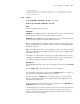
command: Enables command debugging on the encryption card.
error: Enables error debugging on the encryption card.
misc: Enables other debugging on the encryption card.
packet: Enables packet debugging on the encryption card.
sa: Enables security association (SA) debugging on the encryption card.
host: Enables host debugging on the encryption card.
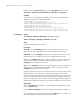
slot-id: Slot ID of an encryption card, whose range depends on the number of slots
on the security gateway. It is in 3-dimentional format, for example, x/y/z, where x
stands for a slot number, y and z are constant 0 for encryption cards.
Description
Use the debugging encrypt-card command to enable debugging on the
encryption card.
Use the undo debugging encrypt-card command to disable debugging on the
encryption card.
Example
# Enable command debugging on the encryption card at slot 5/0/0.
<SecBlade_VPN> debugging encrypt-card command 5/0/0
display encrypt-card
fast-switch
Syntax
display encrypt-card fast-switch
View
Any view
Parameter
None
Description
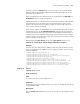
Use the display encrypt-card fast-switch command to view the entries in the
fast forwarding cache for the encryption cards.
Example
# Display the entries in the fast forwarding cache for the encryption cards.
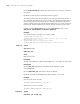
[SecBlade_VPN] display encrypt-card fast-switch
encrypt-card Fast-Forwarding cache:
Index SourIP SourPort DestIP DestPort Prot TdbID Type
18 1.1.1.2 8 1.1.1.1 0 1 0x00000024 encrypt
130 1.1.1.1 0 1.1.1.2 0 50 0x00000023 decrypt
Tabl e 277 Description on the fields of the display encrypt-card fast-switch command
Field Description
Index Index of the fast forwarding entry
SourIP Source IP address