
HP ProLiant BL e-Class System Setup and Installation Guide

Installing and Cabling the System
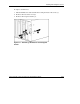
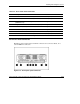
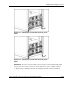
Figure 3-17: Cabling the system with the RJ-21 patch
panel
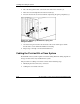
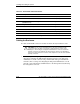
Figure 3-18: Cabling the system with the RJ-45 patch
panel
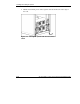
IMPORTANT: Be sure to route the cables for the enclosure in a manner that provides rapid,
easy access to the console connector for a local client device, such as a laptop computer.
5. Repeat steps 1 through 4 for each server blade enclosure you have installed.
HP ProLiant BL e-Class System Setup and Installation Guide 3-21
HP CONFIDENTIAL
Writer: Karen Hale File Name: d-ch3 Installing and Cabling the System.doc
Codename: MacDuff Part Number: 249068-003 Last Saved On: 5/21/03 3:04 PM