
HP ProLiant BladeSystem p-Class System Maintenance and Service Guide

Connectors, LEDs, and Switches 103
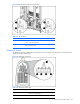
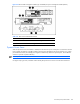
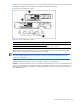
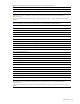
Figure 4-43 Server blade management modules (top and middle) and power management module (bottom)
Table 4-43 Reset and Unit Identification Buttons
Item Description Function
1 Reset button Reinitializes management functions
2 Unit identification button Toggles UID LED between on and off
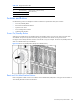
Dynamic Power Saver
When the Dynamic Power Saver feature is enabled, the total enclosure power consumption is monitored in real time.
Power supplies are placed in a standby condition when the power demand from the server enclosure is low. When
power demand increases, the standby power supplies instantaneously deliver the required power. This enables the
enclosure to operate at optimum efficiency.
NOTE: Dynamic Power Saver is a feature of the HP BladeSystem 1U Power Enclosure.
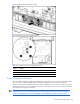
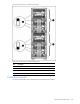
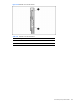
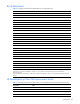
Use Figure 4-44, Figure 4-45, and Table 4-44 to identify the Dynamic Power Saver switch location and function.