
HP ProLiant BladeSystem p-Class System Maintenance and Service Guide



Removal and Replacement Procedures 39
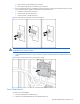
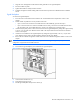
Figure 2-13 Removing a server blade management module
To replace the server blade management module:
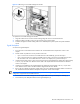
1. Align the module with its connector and the metal guiding tabs on the server blade enclosure.
2. Slide the module to the left to insert it into the connector until it is fully seated.
3. Install the management module cabling. Refer to the HP BladeSystem p-Class System Setup and Installation
Guide.
Signal Backplane
To remove the signal backplane:
1. Power down the server blade enclosure. Refer to the “Server Blade Enclosure Preparation” section in this
chapter.
2. Decide whether to perform this service procedure in the rack:
• If you can access the rear of the server blade enclosure without difficulty, proceed with step 3.
• If you cannot access the rear of the server blade enclosure easily, remove the server blade enclosure from
the rack. Refer to the “Server Blade Enclosure” section in this chapter; then, proceed with step 5.
3. Unseat the RJ-45 patch panels or interconnect switches from the signal backplane by sliding them approximately
2.54 cm (1 in) out of the server blade enclosure. Refer to the “RJ-45 Patch Panels and Interconnect Switches”
section in this chapter.
4. Unseat the server blades from the signal backplane by sliding them approximately 2.54 cm (1 in) out of the
server blade enclosure. Refer to the documentation shipped with the server blades.
5. Remove the server blade management module. Refer to the “Server Blade Management Module” instructions in
the “Standard Server Blade Enclosure Backplane Components” section of this chapter.
IMPORTANT: For ease of removal, it may be necessary to disconnect the grounding cable (facility DC
configuration only) from the server blade enclosure.
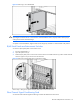
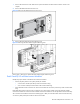
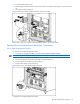
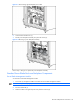
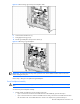
6. Disconnect the server blade management module signal cable from the power backplane assembly (1).
7. Disconnect the power backplane cable from the signal backplane (2).