
Installing Red Hat Enterprise Linux 4 on HP ProLiant Servers, HOWTO


4.
1.
2.
3.
NOTE:
4.
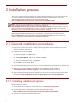
Check the following URL to see if a newer driver is available:
http://h18000.www1.hp.com/products/servers/linux/softwaredrivers.html. If so, select the latest version
of the appropriate driver and download the file from this site. Follow the online instructions for installing
the software.
2-1-2 Installing a Remote Insight Lights-Out Edition
adapter
Before installing a Remote Insight Lights-Out Edition (RILOE) or RILOE II adapter:
Verify support of this controller for the ProLiant server at www.hp.com/go/proliant.
Insert the new hardware into the ProLiant server.
Download software to optimize the performance of the adapter, if desired.
The adapter itself operates without any additional drivers (for example, the Remote Log In
and Virtual Floppy features are available). HP provides software called HP Lights-Out Drivers and
Agents that enhance the capabilities of the adapter. This software is available for download at the
following locations:
— For x86 servers: http://h18023.www1.hp.com/support/files/server/us/locate/8861.html
— For AMD64/EM64T servers:
http://h18023.www1.hp.com/support/files/server/us/locate/8858.html
Select the latest version of this package and download the file from this site. Follow the online instructions
for installing the software.
7