
HP ProLiant BL2x220c G7 Server Blade Maintenance and Service Guide



Removal and replacement procedures 26
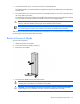
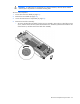
o To remove the hard drive assembly from the server B assembly, remove the T-15 hard drive carrier
screw, and then remove the hard drive assembly.
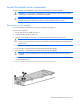
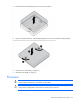
5. Remove the hard drive from the carrier.
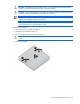
CAUTION: To avoid damage to the hard drive, use the retaining screw to lower the hard drive
assembly into position.
To replace the component, reverse the removal procedure.
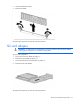
DIMMs
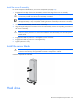
To remove the component:
1. Power down the server blade (on page 21).
2. Remove the server blade (on page 22).
3. Access the internal server components (on page 23).