
HP ProLiant BL2x220c G7 Server Blade Maintenance and Service Guide

Removal and replacement procedures 49
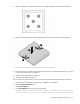
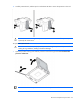
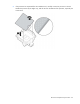
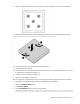
8. Apply all the grease to the top of the processor in the following pattern to ensure even distribution.
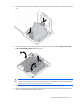
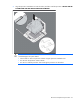
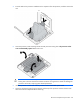
9. Align and install the heatsink. Alternate tightening the screws until the heatsink is seated properly.
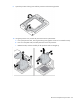
10. Install all components removed from the failed system board.
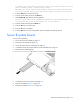
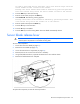
11. Install the serial label pull tab.
12. Record the server serial number and product ID. For the location of the serial number label, see "Server
B system board components (on page 56)."
13. Install the server B assembly (on page 24).
14. Install the server blade (on page 24).
After you replace the system board, you must re-enter the server blade serial number and the product ID.
1. During the server blade startup sequence, press the F9 key to access RBSU.
2. Select the Advanced Options menu.
3. Select Service Options.
4. Select Serial Number. The following warnings appear:
WARNING! WARNING! WARNING! The serial number is loaded into the system during
the manufacturing process and should NOT be modified. This option should only