
HP ProLiant BL465c G7 Server Blade Maintenance and Service Guide

Removal and replacement procedures 40
7.
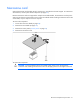
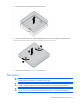
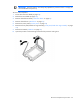
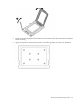
Align and install the heatsink. Alternate tightening the screws until the heatsink is seated properly.
8. Install the access panel ("Access panel" on page 26).
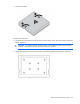
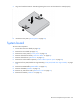
System board
To remove the component:
1. Power down the server blade (on page 24).
2. Remove the server blade (on page 25).
3. Remove the access panel ("Access panel" on page 26).
4. Remove all hard drive blanks ("Hard drive blank" on page 27).
5. Remove all hard drives ("Hard drive" on page 27).
6. Remove the cache module capacitor ("Cache module capacitor pack" on page 32).
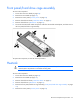
7. Remove the front panel/hard drive cage assembly ("Front panel/hard drive cage assembly" on page
33).
8. Remove the DIMM baffle ("DIMM baffle" on page 28).
9. Remove all DIMMs ("DIMMs" on page 29).
10. Remove any mezzanine cards ("Mezzanine card" on page 31).
11. Remove the heatsink ("Heatsink" on page 33).