
HP ProLiant BL680c G7 Server Blade Maintenance and Service Guide
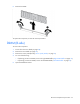
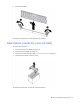
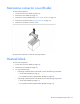
Table Of Contents
- HP ProLiant BL680c G7 Server Blade Maintenance and Service Guide
- Abstract
- Notice
- Contents
- Customer self repair
- Illustrated parts catalog
- Removal and replacement procedures
- Required tools
- Safety considerations
- Server blade preparation
- Access panel (A-side)
- Access panel (B-side)
- Left DIMM baffle
- Right DIMM baffle
- DIMM (A-side)
- DIMM (B-side)
- Mezzanine connector cover (A-side)
- Mezzanine connector cover (B-side)
- Heatsink blank
- Mezzanine card (A-side)
- Mezzanine card (B-side)
- Hard drive blank
- Hard drive
- Front panel/hard drive cage assembly (A-side)
- Front panel/hard drive cage assembly (B-side)
- Battery-backed write cache procedures
- Interposer board
- Heatsink (A-side)
- Heatsink (B-side)
- Processor (A-side)
- Processor (B-side)
- System board (A-side)
- System board (B-side)
- System battery
- Server blade release lever
- Release button
- HP Trusted Platform Module
- Diagnostic tools
- Server component identification
- Cabling
- Specifications
- Acronyms and abbreviations
- Index
Removal and replacement procedures 35
6.
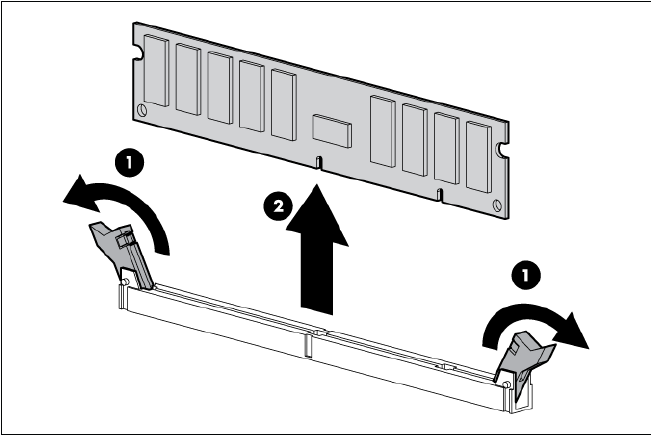
Remove the DIMM.
To replace the component, reverse the removal procedure.
DIMM (B-side)
To remove the component:
1. Power down the server blade (on page 28).
2. Remove the server blade (on page 29).
3. Remove the access panel (B-side) ("Access panel (B-side)" on page 32).
4. Do one of the following:
o If replacing processor 3 DIMMs, remove the right DIMM baffle ("Right DIMM baffle" on page 33).
o If replacing processor 4 DIMMs, remove the left DIMM baffle ("Left DIMM baffle" on page 32).
5. Open the DIMM slot latches.