
Quick Deploy Rail System Installation Instructions


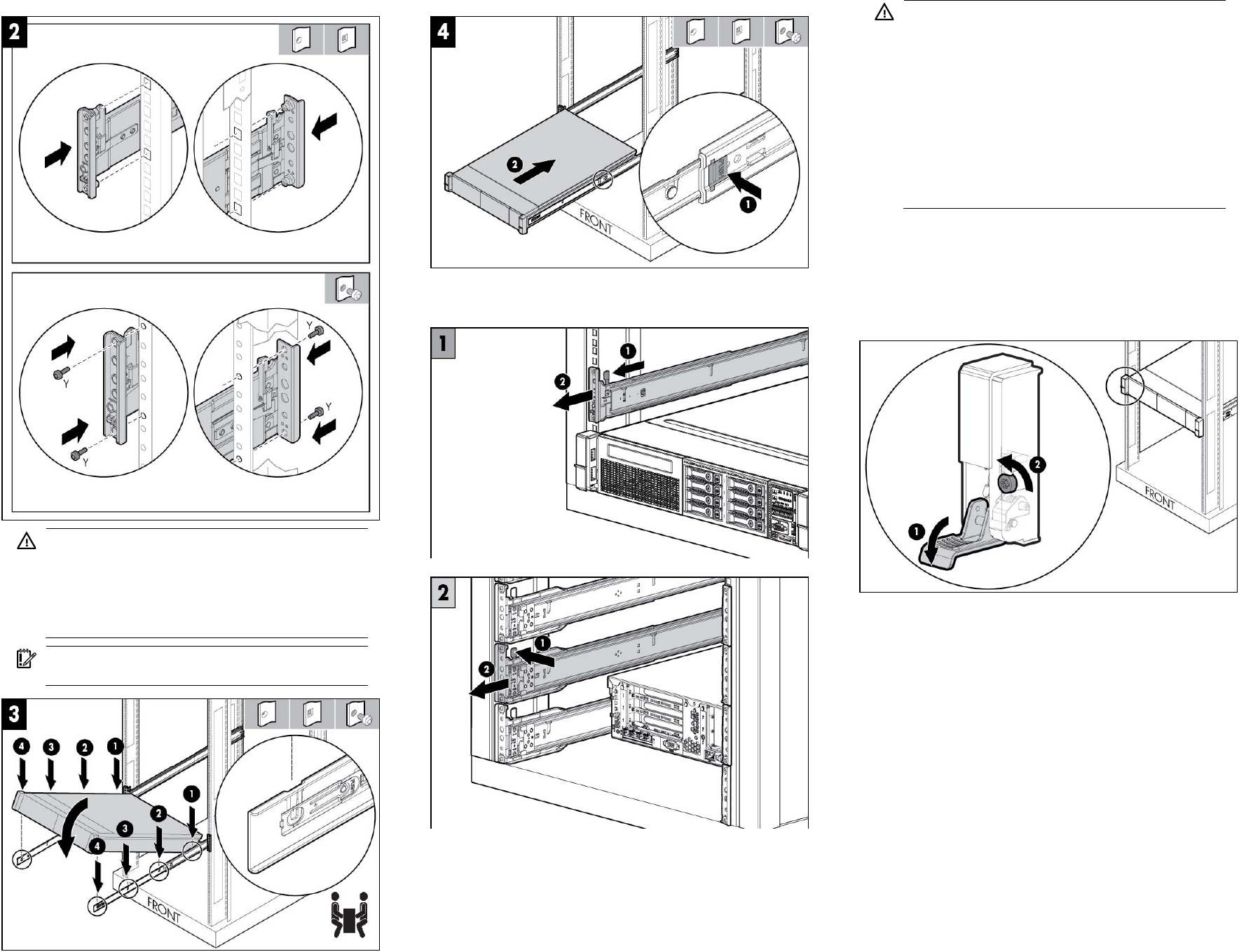
WARNING: To reduce the risk of personal injury or
damage to the equipment:
• Be sure that the rack is adequately stabilized before
installing the server.
• At least two people are required to lift the server during
installation or removal.
IMPORTANT: To ensure proper installation, install the
server into rack rail slots 1 first.
(optional) Removing the rail
Connecting the power cords
After completing all installation and cable management procedures,
you can connect the power cords to the facility power source.
WARNING: To reduce the risk of electric shock or
damage to the equipment:
• Do not disable the power cord grounding plug. The
grounding plug is an important safety feature.
• Plug the power cord into a grounded (earthed)
electrical outlet that is easily accessible at all times.
• Unplug the power cord from the power supply to
disconnect power to the equipment.
• Do not route the power cord where it can be walked on
or pinched by items placed against it. Pay particular
attention to the plug, electrical outlet, and the point
where the cord extends from the server.
The installation is complete.
Loosening the shipping screws
To slide the server out of the rack, open the latches and loosen the
shipping screws.
Documentation feedback
HP is committed to providing documentation that meets your needs. To
help us improve the documentation, send any errors, suggestions, or
comments to Documentation Feedback
(mailto:docsfeedback@hp.com). Include the document title and part
number, version number, or the URL when submitting your feedback.