
ProLiant DL580 Generation 3 Server Maintenance and Service Guide
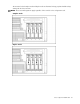
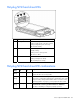
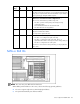
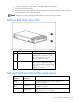
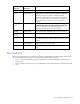

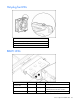
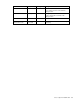
Table Of Contents
- HP ProLiant DL580 Generation 3 Server Maintenance and Service Guide
- Notice
- Contents
- Illustrated parts catalog
- Removal and replacement procedures
- Required tools
- Safety considerations
- Preparation procedures
- Removing the front bezel
- Removing a media drive blank
- Removing a media drive
- Removing the processor module
- Removing a processor
- Removing a PPM
- Removing a PCI latch
- Removing a PCI retaining clip
- Removing the PCI-X Hot Plug basket
- Removing a non-hot-plug expansion board
- Removing the PCI-X Hot Plug mezzanine option
- Removing the PCI Express mezzanine option
- Recovering data from the BBWC
- Removing the BBWC battery pack
- Removing the BBWC cache module
- Removing the system board
- Removing the system battery
- Removing the media board
- Removing the SCSI backplane
- Removing the power backplane
- Removing the memory backplane
- Removing a hard drive blank
- Removing a hot-plug SCSI hard drive
- Removing a hot-plug SAS hard drive
- Removing the SAS-SATA hard drive cage
- Removing the SAS-SATA backplane
- Removing a PCI-X Hot Plug expansion board
- Removing a power supply blank
- Removing a redundant hot-plug power supply
- Replacing hot-plug fans
- Memory overview
- Diagnostic tools
- SmartStart software
- SmartStart Scripting Toolkit
- HP Instant Support Enterprise Edition
- Option ROM Configuration for Arrays
- HP ROM-Based Setup Utility
- ROMPaq utility
- System Online ROM flash component utility
- Integrated Management Log
- Integrated Lights-Out technology
- Automatic Server Recovery
- HP Systems Insight Manager
- HP Insight Diagnostics
- USB support
- Troubleshooting the system using port 85 codes
- Server component identification
- Front panel components
- Front panel LEDs and buttons
- Memory board components and LEDs
- Processor module LEDs
- Rear panel components
- Rear panel LEDs and buttons
- Power supply LEDs
- System board components
- DIMM slot locations
- SCSI IDs
- Hot-plug SCSI hard drive LEDs
- Hot-plug SCSI hard drive LED combinations
- SATA or SAS IDs
- SATA or SAS hard drive LEDs
- SAS and SATA hard drive LED combinations
- Fan locations
- Hot-plug fan LEDs
- BBWC LEDs
- Server cabling
- Specifications
- Acronyms and abbreviations
- Index
Server component identification 83
Activity
LED (1)
Online LED
(2)
Fault LED
(3)
Interpretation
On Off Off Do not remove the drive.
The drive is being accessed, but (1) it is not configured as part of an
array; (2) it is a replacement drive and rebuild has not yet started; or
(3) it is spinning up during the POST sequence.
Flashing Flashing Flashing
Do not remove the drive. Removing a drive may cause
data loss in non-fault-tolerant configurations.
One or more of the following conditions may exist:
• The drive is part of an array being selected by an array
configuration utility
• Drive Identification has been selected in HP SIM
• The drive firmware is being updated
Off Off On
The drive has been placed offline due to hard disk drive failure or
subsystem communication failure.
You may need to replace the drive.
Off Off Off One or more of the following conditions may exist:
• The drive is not configured as part of an array
• The drive is configured as part of an array, but it is a
replacement drive that is not being accessed or being rebuilt yet
• The drive is configured as an online spare
If the drive is connected to an array controller, you may replace the
drive online.
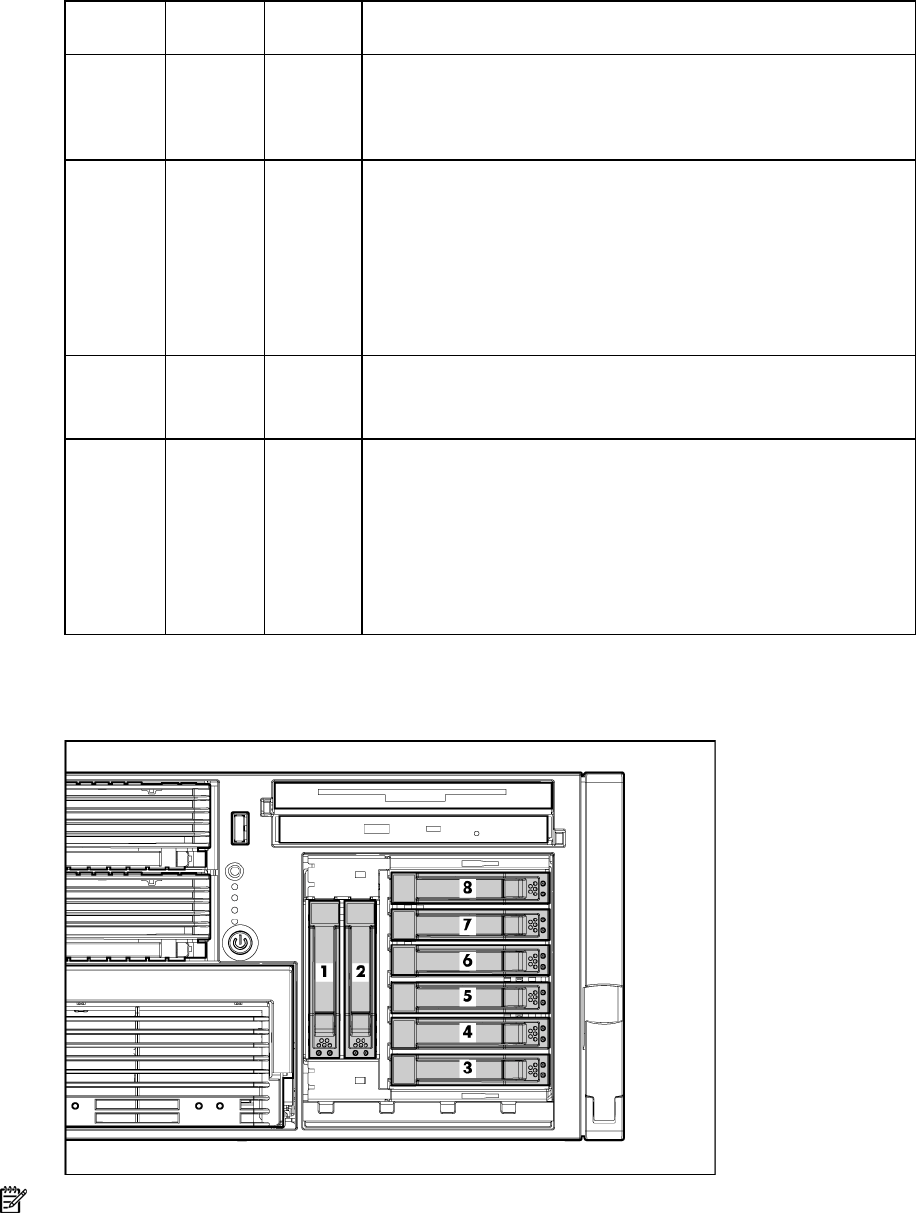
SATA or SAS IDs
NOTE: The server may look different from that shown.
When adding SAS hard drives to the server, observe the following general guidelines:
• The server supports eight SAS or SATA hot-plug hard drives.
• The system automatically sets all drive numbers.