
HP integrated Citrix XenServer 5.0 Release Notes


Contents 3
Contents
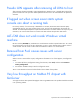
Important notes and recommendations ............................................................................................ 4
Several installer screens are corrupted during VM RH4 and SLES10 install ....................................................... 4
Using iLO Virtual Media for Guest OS installation .........................................................................................4
PVC does not recognize for use a storage repository created using XenCenter on Fibre Channel or iSCSI storage. 5
Creating a shared SR using PVC on a Fibre Channel LUN can fail................................................................... 5
Pseudo LUN appears after removing all LUNs to host..................................................................................... 6
If logged out when screen saver starts system console can abort a running task................................................ 6
ALT+TAB does not work inside Windows virtual machine ............................................................................... 6
Removal from Pool causes issues with server configuration.............................................................................. 6
Very low throughput on NetXen P3 chipset with XenServer ............................................................................. 6
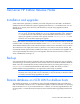
XenServer HP Edition Release Notes ............................................................................................... 7
Installation and upgrades ...........................................................................................................................7
Backup .................................................................................................................................................... 7
Remote database on iSCSI LUN for diskless hosts.......................................................................................... 7
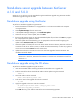
Stand-alone server upgrade between XenServer 4.1.0 and 5.0.0....................................................................8
Stand-alone upgrade using XenCenter................................................................................................ 8
Stand-alone upgrade using the CLI alone............................................................................................ 8
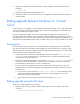
Rolling upgrade between XenServer 4.1.0 and 5.0.0 .................................................................................... 9
Prerequisites ...................................................................................................................................9
Rolling upgrade using the CLI alone................................................................................................... 9
Rolling upgrade using XenCenter .............................................................................................................. 10
Troubleshooting upgrades ........................................................................................................................ 11