
ProLiant DL580 Generation 5 Maintenance and Service Guide


Removal and replacement procedures 32
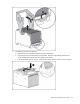
2.
Back up all data on the hard drive.
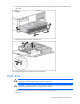
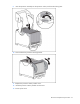
3. Remove the hard drive.
To replace the component, reverse the removal procedure.
Tape drive blank
CAUTION: To prevent improper cooling and thermal damage, do not operate the server unless
all bays are populated with either a component or a blank.
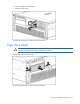
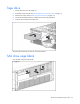
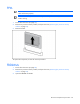
Press the tabs, and pull out the blank.
To replace the component, reverse the removal procedure.