
ProLiant DL580 Generation 5 Maintenance and Service Guide


Removal and replacement procedures 38
PPM
IMPORTANT: Processor socket 1 and PPM slot 1 must be populated at all times or the server
does not function properly.
IMPORTANT: Always install a PPM when you install a processor. The system fails to boot if the
PPM is missing.
1. Power down the server (on page 26).
2. Remove the processor memory module, and open the cover ("Removing the processor memory
module" on page 29).
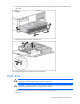
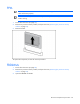
3. Remove the PPM.
To replace the component, reverse the removal procedure.
FBDIMMs
1. Power down the server (on page 26).
2. Remove the processor memory module, and open the cover ("Removing the processor memory
module" on page 29).
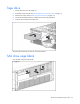
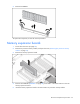
3. Open the FBDIMM slot latches.